
AI-powered answers.
Zero ads. Full control.
A modern alternative to Fandom, wiki.gg, and MediaWiki.
AI-powered search, beautiful pages, and you own everything.
Platform
Not just a wiki. A knowledge platform.
Pages, canvases, AI chat, and cloud integrations — all in one place. Traditional wikis only give you pages.
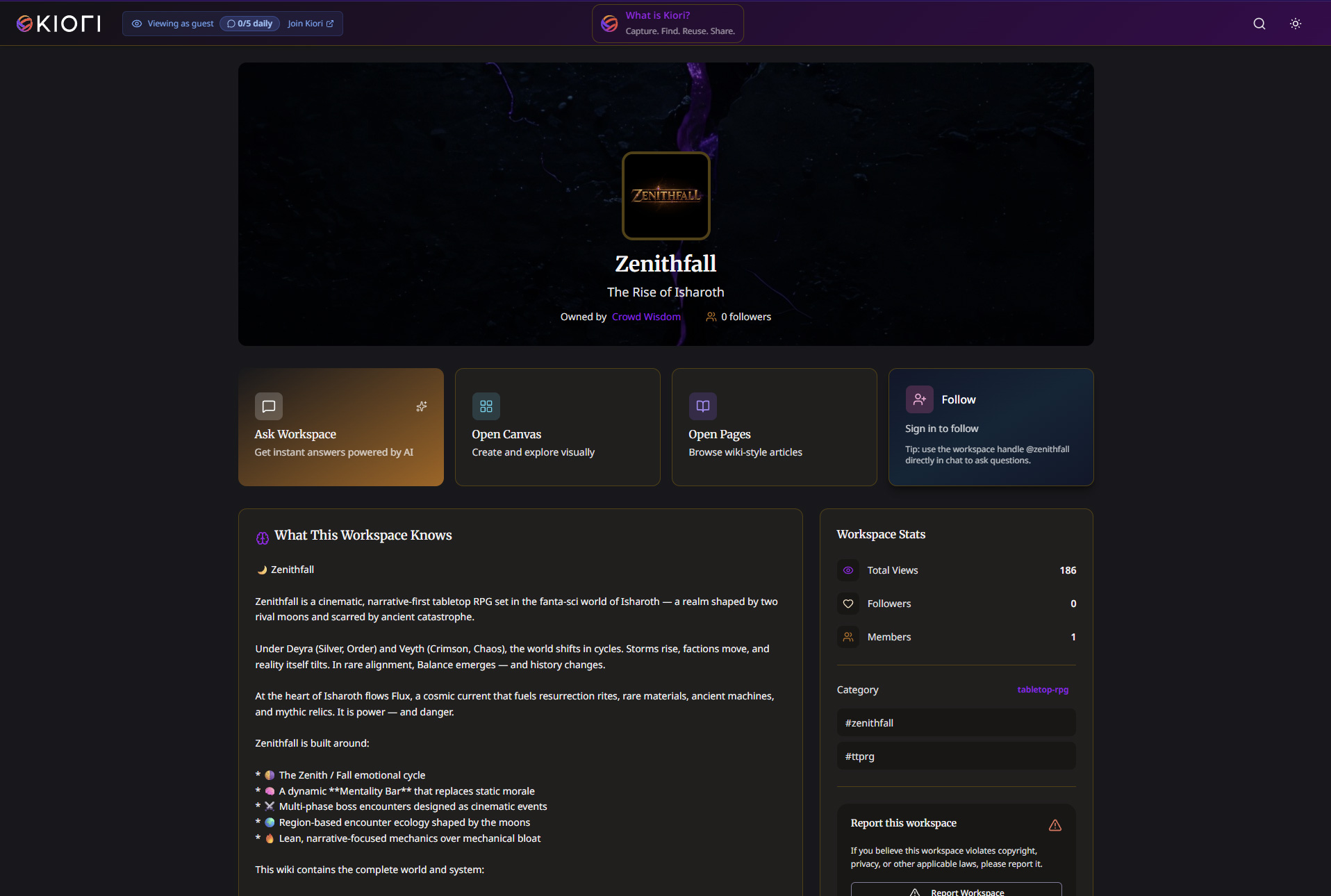
Visitors ask questions.
Your wiki answers with citations.
Kiori uses retrieval-augmented generation (RAG) to synthesize answers from your knowledge base. Every response includes source citations — no hallucinations, no guesswork. Anonymous visitors can ask without creating an account.
- 3-layer memory — thread, user, and workspace context that improves over time
- @-mention to query other public workspaces from your own
- Configure example questions shown to visitors for onboarding
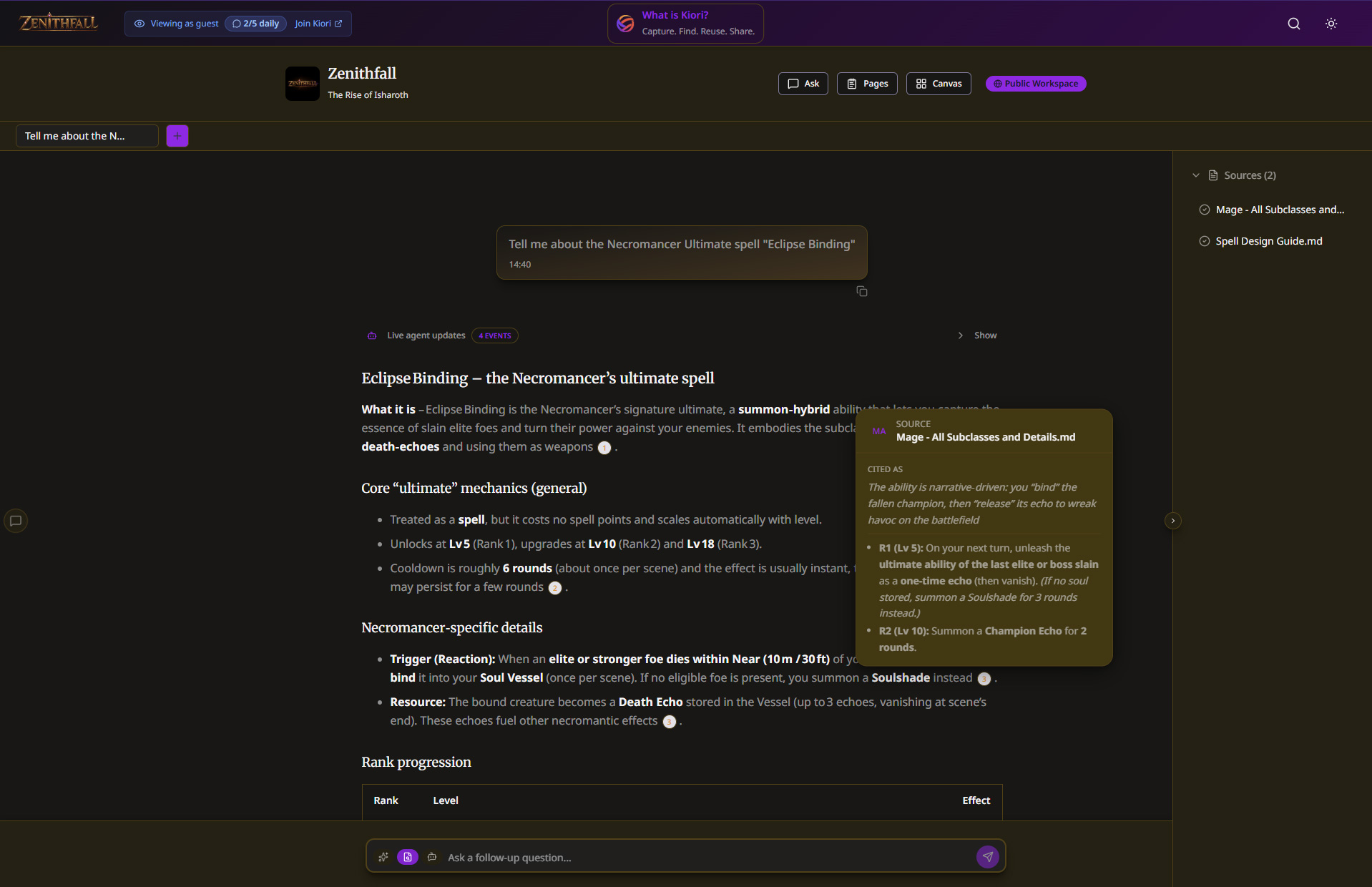
25+ block types. 6 page templates.
Infinite custom blocks.
A TipTap-powered editor with callouts, toggles, multi-column layouts, infoboxes, embeds, tables, code blocks with syntax highlighting, and a table of contents — all via slash commands. No wikitext, no markup language.
- 2, 3, or 4 column layouts for rich page structures
- Toggles, callouts, and collapsible sections for organized content
- Code blocks with syntax highlighting, themes, and tabbed code groups
- Mermaid diagrams, math equations, file trees, and API reference blocks
- Create your own custom block types with a visual layout editor — define fields, drag-and-drop primitives, and reuse them across pages with slash commands
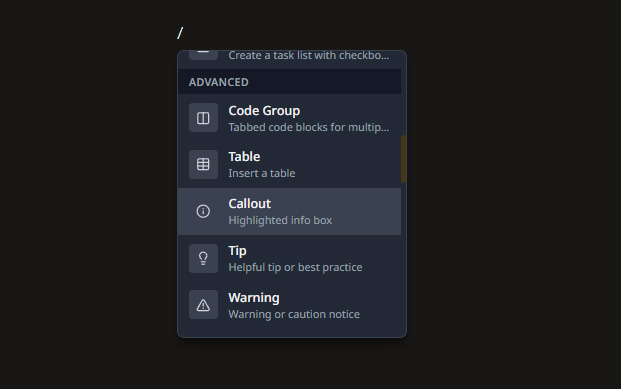
Visual boards your visitors
can actually explore.
Canvases let you organize knowledge visually with cards, folders, and drag-and-drop. They're publicly viewable — perfect for class comparisons, quest maps, item databases, or project roadmaps. Nothing like this exists on traditional wikis.
- Organize cards into folders and nested groups
- Drag-and-drop reordering for visual curation
- Visitors can browse cards and folders without an account
Import anything.
Sync everything.
Ingest content from 10+ document formats with automatic OCR. Connect Google Drive, OneDrive, SharePoint, or Notion — set up scheduled sync and your knowledge base stays fresh.
- PDF, DOCX, XLSX, PPTX, HTML, Markdown, plain text, and images — plus Google Docs, Sheets, and Slides via Drive sync
- Scheduled sync from cloud storage — hourly or daily, your choice
- Structured SEO out of the box: JSON-LD, Open Graph, dynamic sitemaps
Auto-sync integrations
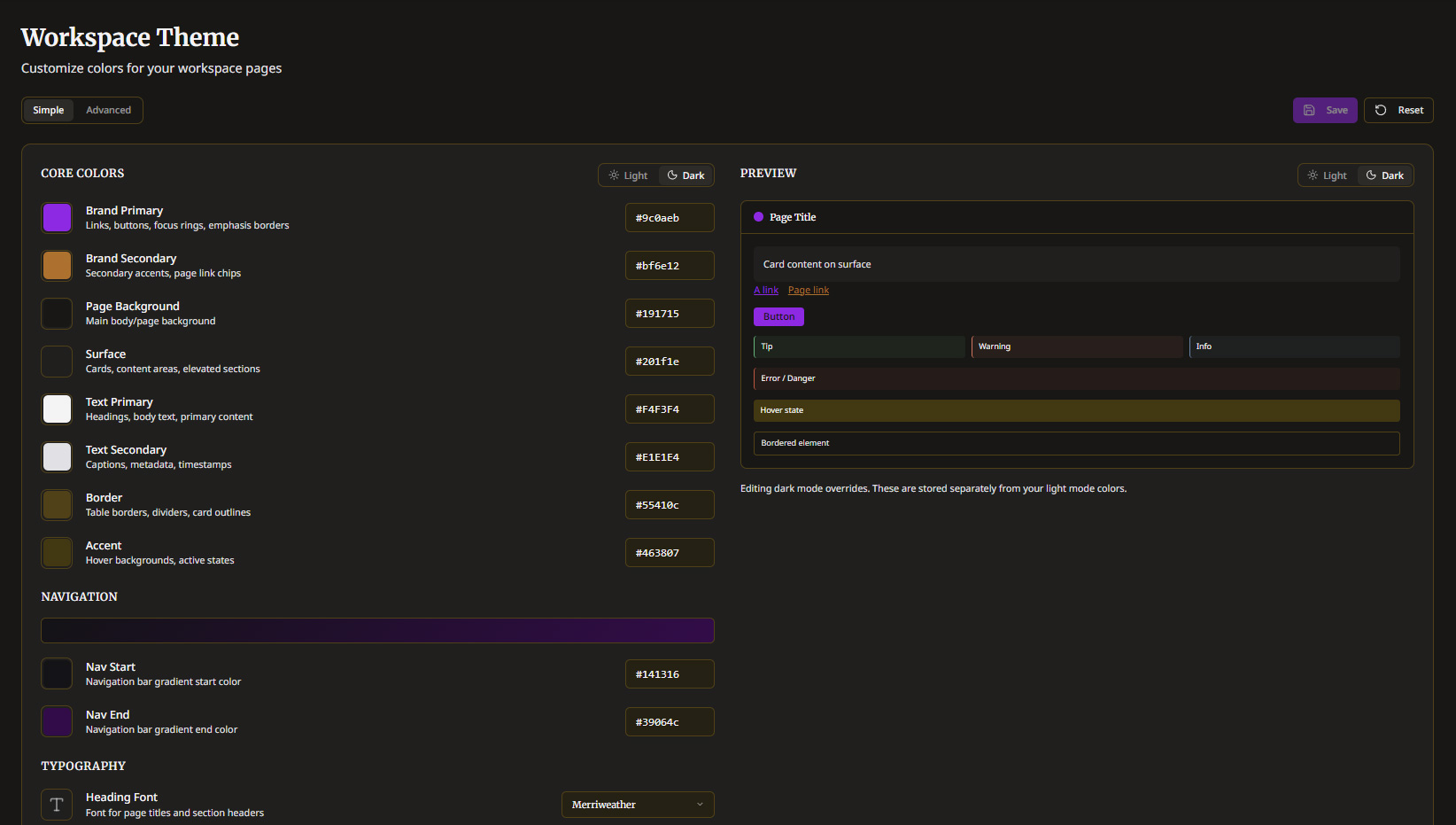
Your brand. Your colors.
Your domain.
Full theme control with 8 core colors, 4 status colors, Google Fonts, 80+ CSS token overrides, and navigation gradient customization. On Plus and Pro tiers, unlock full theme customization.
- 8 core + 4 status colors with live preview and dark mode derivation
- Custom domain support on Pro tier — your wiki, your URL
- Analytics dashboard with views, queries, and follower metrics
Built-in protection layers.
Zero compromises.
Security built in from day one. Rate limiting, PII detection, Cloud KMS encryption, and query visibility controls — all configurable per workspace.
- PII auto-detection: emails, phones, IBANs, credit cards, API keys, JWTs
- Cloud KMS workspace-level encryption for tokens and sensitive data
- Rate limiting per user and per workspace for abuse prevention
Rate Limiting
Per-user and per-workspace
PII Detection
Emails, phones, credit cards, API keys, JWTs
Cloud KMS Encryption
Workspace-level key management
Query Visibility
Control what visitors can see
Video Ad Gates
Monetization layer for free tier
Compare
Kiori vs. traditional wikis
See how Kiori stacks up against Fandom, wiki.gg, and self-hosted MediaWiki.
Use Cases
One platform, countless communities
Whether you're documenting a game universe, running developer docs, or building a fan hub — Kiori adapts to your needs.
Game & TTRPG Wikis
Lore databases, class guides, item encyclopedias, and campaign archives. Let fans ask AI questions about your universe instead of scrolling through pages.
Developer Docs
API references, tutorials, and changelogs. Import from Notion or Google Docs, auto-sync, and let developers find answers instantly via AI search.
Fan Communities
Episode guides, character profiles, timelines, and theories. Canvases for visual relationship maps. No ads stealing the spotlight from your content.
Support & Help Centers
Product documentation, FAQs, and troubleshooting guides. AI chat lets customers find answers without filing tickets. Reduce support load naturally.
Education & Research
Course wikis, research notes, and study guides. Ingest lecture slides, papers, and handouts automatically. Students ask questions, get cited answers.
Internal Knowledge Bases
Onboarding playbooks, process docs, and team handbooks. Sync from Google Drive and OneDrive. The knowledge base builds itself.
Pricing
Start free. Scale when you're ready.
Every Kiori account includes a free public workspace.
Add a plan to unlock more for your community.
Free
For small communities getting started
Ad-supported
- 1 public workspace
- 500 documents · 500 pages
- 500 MB storage · 1 canvas
- 5 contributors · 10 AI queries/day
- Kiori subdomain
- Community support
Plus
For growing spaces that want more control
No ads
- 2,500 documents · Unlimited pages
- 10 GB storage · Unlimited canvases
- Unlimited contributors · AI queries
- 5 AI editor licenses
- No ads, no Kiori branding
- Full theme customization
- Analytics dashboard
Pro
For serious communities and teams
Everything unlimited
- 10,000 documents · Unlimited pages
- 50 GB storage · Unlimited canvases
- Unlimited contributors · AI queries
- 15 AI editor licenses
- Custom domain mapping
- Advanced analytics + API
- Monetization tools
- Priority support
Compare workspace plans
Detailed breakdown of what each plan includes
| Feature | Free | Best ValuePlus | Pro |
|---|---|---|---|
| Documents | 500 | 2,500 | 10,000 |
| Storage | 500 MB | 10 GB | 50 GB |
| Pages | 500 | Unlimited | Unlimited |
| Canvases | 1 | Unlimited | Unlimited |
| Integrations | 1 | Unlimited | Unlimited |
| Contributors | 5 | Unlimited | Unlimited |
| AI editor licenses | 5 | 15 | |
| AI queries/day | 10 | Unlimited | Unlimited |
| AI-powered search | |||
| Rich editor | |||
| Page templates | Built-in | Built-in + Custom | Built-in + Custom |
| Custom blocks | |||
| Ads removed | |||
| Kiori branding removed | |||
| Full theme customization | |||
| Analytics | Page views | Full dashboard | Advanced + API |
| Custom domain | |||
| Monetization tools | |||
| Priority support |
Your world deserves a better home
Join communities, studios, and teams who publish on Kiori. Start for free — no credit card required.
Create your public space